

I recently attended a seminar where the speaker made two confident claims. First, that “the old form is dead” and that prompts are all we need. Second, that “SaaS is dead”.
It was an interesting argument, and there is clearly something in it. AI is indeed changing how people interact with software. Many screens, menus and workflows that once felt necessary may soon feel slow and awkward. Nobody should pretend that business software will remain untouched.
But I think the conclusion was too sweeping. AI will certainly transform SaaS, but it may not kill it.
The form is not dead. The bad forms may be in trouble, and that is no bad thing. SaaS is not dead either. What is changing is how people use SaaS, how they pay for it, and how they connect it to their daily work.
The future is not a blank prompt replacing every screen. The future is more likely to be a blend of conversation, guidance, structure and governance.
The long history of confident predictions
I have worked with IT since the early 1980s, and I have heard many versions of the same prediction. A new technology arrives, and someone explains that the old way is finished. In the future, everyone will only use this new thing. Terminals would replace paperwork. PCs would replace central systems. The web would replace desktop software. Mobile would replace the web. Low-code would replace programmers. Cloud would replace IT departments.
What makes these predictions attractive is that they contain a piece of truth. The new technology usually doesn’t matter. It changes what is easy, what is expensive, and what people expect from software.
But the old world rarely disappears as neatly as the conference slides suggest. Mainframes still run important systems. Spreadsheets still sit at the centre of finance departments. Email, despite several announced funerals, remains stubbornly alive. Technologies get pushed into new roles, but they seldom leave the building when asked.
One example has stayed with me. In the 1990s, I attended the Inprise Developer Conference (Borland) in Denver, Colorado, where Scott McNealy, then the chief executive of Sun Microsystems, came on stage. As I remember it, he was wearing red boots, which made the performance hard to forget. His message was even harder to miss: Java would take over the world.
Sun’s slogan at the time was “write once, run anywhere”, and the message from the stage was not modest. Java would be everywhere. Not just on servers or desktop machines, but in watches, consumer devices and almost anything that contained a chip.
At the time, this did not sound absurd. The internet was changing software, and Java seemed to answer a real problem. Looking back, the claim was too large, but the instinct behind it was not foolish. Java did not become the language of everything. It did, however, become part of a great deal of serious business software. Many banks, public systems and enterprise platforms still have Java somewhere in the machinery. Later, through Android, it also reached far more devices than many critics would have expected.
After a few decades in IT, I have become suspicious whenever a sentence begins with “in the future, everyone will only…”. I have heard it said about terminals, PCs, browsers, mobile apps, cloud platforms and low-code tools. Each of them changed the industry. None of them made the rest of the industry pack up and go home.
The same is true of jobs. In most business systems I have worked with, IT has not removed people from the process. It has changed the work they do. Less typing, perhaps. More checking. Fewer routine steps, but more attention to exceptions, policy and customer impact.
This pattern is not limited to IT. Since the Industrial Revolution, every major technology has carried a similar promise and a similar fear. Machines such as the Spinning Jenny profoundly changed textile work, but they did not eliminate the need for human labour. They changed where the work sat, how it was organised, and who had power over it. That was not a small matter. But it was also not the simple story that the machine would do everything, and people would become irrelevant.
AI is the new kid on the block, and a very powerful one. It will change software, services and many job roles. I do not doubt that. But I find it hard to believe that this time, unlike all the previous times, one new interface will take over everything. Prompts will become important. Agents will do more work. Forms, screens, workflows and older systems will not disappear overnight. Most organisations will use a mixture of old and new for the foreseeable future, not because they lack imagination, but because real work is messier than predictions.
The curious return of the prompt
There is a certain historical irony in the current excitement around AI interfaces.

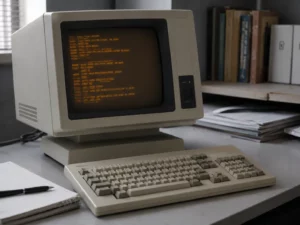
After decades of moving away from command lines, teletypewriters and early dumb terminals, we are again asking people to sit in front of a blank text box and explain what they want. In the 1970s and 1980s, users had to remember commands. Then, software slowly became more visual. We got menus, icons, windows, forms, dashboards and guided processes.
This was not only decoration. It made software easier to use. The interface carried part of the thinking.
Now, with AI, we have rediscovered the power of text. A well-written prompt can produce analysis, code, summaries, draft documents, plans and decisions. It can feel wonderfully direct. Instead of clicking through ten screens, the user can ask.
That is a real improvement in many cases.
But we should also remember why user interfaces evolved beyond command lines in the first place. A blank box is flexible, but it can also be demanding. It asks the user what to ask for. It assumes that the user can describe the task, context, constraints, desired output, and exceptions.
Sometimes that is freedom. Sometimes it is hard work in disguise.
Why forms reduce cognitive load
Forms have a poor reputation, often for good reason. Many are clumsy, repetitive and far too pleased with themselves.

Yet the form itself is not the problem. A good form makes the task visible. It shows what information is needed, what cannot be left blank, and which choices are allowed. In a purchase request, that may mean the supplier, budget code, cost centre, reason for purchase and approving manager.
The user is no longer expected to hold the whole process in their head. The form does part of the remembering.
Anyone who has worked with procurement, HR, finance, support, CRM or compliance systems knows this. A purchase request needs a supplier, a budget code, a cost centre, a justification and an approver. An expense claim needs dates, amounts, receipts, currency and business purpose. A support ticket needs priority, category, description, customer, product and status.
The point is not that users enjoy filling in forms. They usually do not. The point is that the form carries part of the process.
A well-designed form says, “Here is what you need to think about.” Here is what the organisation requires. Here is the order in which the information should be provided. Here are the things you cannot leave out.
That can be a great kindness to the user.
Of course, forms can also be badly designed. We have all seen forms that ask for the same information twice, hide important fields in strange places, demand codes no normal person remembers, or turn a simple task into a minor act of penance.
Bad forms deserve to disappear. But that does not mean the form itself is obsolete. It means we need better forms, and increasingly, more intelligent ones.
The limits of prompt-only work
A prompt gives the user freedom. That is its strength.

But freedom has a cost. The user often has to carry the whole process in their head.
Imagine asking an employee to submit an expense claim through a prompt:
“Please claim my Stockholm trip expenses.”
What happens next?
Take an expense claim. An employee may write, “Please claim my Stockholm trip expenses.” On the surface, that sounds simple.
In practice, the system still has some untidy work to do. Which Stockholm trip is this? Are all the receipts included? Should the cost go to a project or to the department budget? Was the hotel paid for in Swedish kronor, euros, or on a company card? Who is allowed to approve it?
These are precisely the questions that a decent expense form brings to light.
There may also be small complications. Perhaps one receipt is missing. Perhaps a hotel night falls outside the policy. Perhaps part of the trip was private. These are exactly the details that a standard expense form seeks to bring to light.
If the AI starts asking questions about these points, it may well improve the experience. But then we are no longer talking about a pure prompt. We are talking about a guided workflow, with AI making it less painful.
The same is true in HR. “Reject this applicant” is not a sufficient business process. The organisation may need reasons, evidence, policy checks, equal treatment safeguards, interview notes and approval history.
Procurement gives another useful example. A user might write, “Approve this supplier.” But before that happens, someone has to know rather more than the name of the company. Has the supplier passed the required checks? Are the bank details verified? Is there a conflict of interest? Will personal data be handled? Is the expected spend within the requester’s authority?
In public-sector case handling, the need for structure is even harder to avoid. A case decision cannot rest on a convenient instruction typed into a prompt box. It has to be tied to the right evidence, the right policy, and often the right piece of law. Someone may need to explain it months or years later.
This is why the claim that prompts will replace forms is too simple. A prompt is a useful way to express an intention. A form helps bring the required facts into view. A workflow makes sure the right steps happen in the right order. In serious business systems, those three things have to work together.
Compliance is not an interface preference
In corporate and government systems, forms are rarely just a way to collect information. Often, they are part of the control system.
A supplier form, for example, may look tedious. Yet it may also check who owns the relationship, which budget is affected, whether the supplier has passed the required checks, and who is allowed to approve the spend. A finance approval must show who signed off on a payment. A recruitment decision may need evidence that the process was fair. A public-sector case must be tied to the right rule and the right evidence.
That is why a blank prompt can be dangerous if it sits outside the proper workflow. “Approve this supplier” may sound like a simple instruction. The organisation still needs to know who requested it, whether they had authority, what data was used, which policy applied and what was recorded.
AI should not replace governance. It should make governance less painful to follow. The agent can help the user, prepare the record and suggest the next step, but it must still operate within permissions, approvals, policy checks and audit trails.
The demo is often where software looks most intelligent. The audit is where it has to grow up.
SaaS is not dead
The claim that “SaaS is dead” also needs more care.
If SaaS means rows of static screens, endless manual entry and per-seat licences for people who only use a system occasionally, then yes, that model is under pressure.
AI agents will change how people interact with software. A user may not need to log into five systems to complete one task. An agent may gather information from a CRM, check a contract in a document system, create a support ticket, update a project tool and draft an email. The visible experience may move away from the old SaaS screen.
But that does not mean SaaS is dead. Faisal Hoque makes a similar argument in in his article What if the SaaSpocalypse is a myth?, noting that enterprise software is not merely a task tool, but part of how an organisation’s operating structure is encoded.
It helps to separate the four different meanings of SaaS.
First, SaaS, as a cloud-based delivery model, remains useful. Organisations still want managed services, regular updates, security patches, scalability and access from different locations.
Second, as human-operated screens and workflows change, SaaS will change. Many tasks that once required manual navigation will become conversational or automated.
Third, SaaS as seat-based pricing is likely to be challenged. If AI agents perform work across systems, charging only by human seats may become less natural. We may see more usage-based, transaction-based or outcome-based models.
Fourth, SaaS as systems of record, permissions, integrations, audit trails and business logic remains essential. In fact, it may become even more important. AI agents need somewhere trustworthy to act. They need reliable systems behind them.
A business does not stop needing a financial system just because AI can draft an invoice. It does not stop needing HR records because an AI can answer an employee question. It does not stop needing CRM data because an AI can summarise a customer relationship.
The screen may change. The system of record remains.
The likely future
The more likely future is not prompt versus form. It is guided, conversational and governed workflows.
An AI-enabled procurement system might begin with a simple request:
A procurement request might begin with an ordinary sentence: “I need to buy laptops for the new project team.”
From there, the AI can ask the questions a good procurement officer would ask. How many laptops are needed? Are they standard machines or something more specialised? Is there a budget in the project? Is there an approved supplier? Does the request fit the purchasing policy?
Once those points are clear, the system can prepare the request, send it to the right approver and record the decision. The employee may experience it as a simple conversation, but the organisation still gets what it needs: policy checks, approval and a proper record.
However, we may retain the forms, and AI may automatically populate fields. In contrast, we still retain some elements, such as Combo boxes, which are useful for us humans to select alternatives.
The user experiences a conversation. The organisation still gets structured data, approval control and auditability.
The same idea applies in many ordinary business systems. A new employee still has to be onboarded. A support ticket still needs a priority, a customer, a product and an owner. An ISO non-conformance still needs a root cause, a corrective action and evidence that the action was actually followed up. Finance approvals, CRM updates, compliance reviews and public-sector cases all have similar needs.
AI can remove much of the drudgery. It may read an invoice, pick up the supplier name, suggest the right category and ask only for the one detail it cannot find. To the user, the old form may almost disappear.
Behind the screen, though, the controls still have to work. If someone questions the matter later, the organisation needs to see who approved it, what information was used, and why the decision made sense at the time. That is especially important when money, personal data or compliance is involved.
In some cases, the system may know the customer from the email thread. It may find the invoice number in an attachment. It may infer the project from the user’s calendar or recent work. But other details still need to be confirmed by a person, especially where policy, money, personal data or legal responsibility is involved.
That is a more useful future than replacing every screen with a blank prompt. The work becomes easier for the user, but the process does not lose its memory, checks or accountability.
A better conclusion
AI will transform business software. It will reduce friction, remove unnecessary screens, automate routine work and make systems easier to use. It will also force SaaS companies to rethink pricing, user experience and product design.
But the old disciplines do not disappear. Good software still needs structure. Good organisations still need accountability. Regulated environments still need evidence, approval and traceability.
The form is not dead. It is becoming intelligent.
SaaS is not dead. Instead, it is becoming the governed execution layer behind AI agents.
The future winners will not be those who remove every form and replace it with a prompt. Instead, the winners will be those who understand where conversation helps, where structure protects, and where governance must quietly do its work.
That may sound less dramatic than “SaaS is dead”. But in business software, reality usually has the last word.
Frequently Asked Questions on AI, forms and the future of SaaS
Are forms really becoming obsolete?
No. Bad forms are under pressure, and rightly so. But good forms still reduce cognitive load, guide users through a process, and make sure important information is not missed.Will AI prompts replace business software interfaces?
Not completely. Prompts are useful for expressing intent, but many business processes still need structure, validation, approvals, and audit trails. The likely future is a blend of conversation, forms, and guided workflows.Why can a blank prompt increase cognitive load?
A blank prompt gives users freedom, but it also asks them to know what to ask for. They may need to remember the task, context, constraints, policy rules, missing information, and desired outcome. A good interface carries some of that burden for them.What is the value of a well-designed form?
A good form shows what information is needed, which fields are required, what choices are allowed, and how the process should move forward. It helps the user complete the task without having to hold the whole process in their head.Can AI make forms better?
Yes. AI can pre-fill fields, read documents, suggest categories, ask only for missing information, and guide users through exceptions. In many cases, the form may become less visible, but the structure behind it will still matter.What is wrong with a prompt-only approach in business systems?
It can bypass important controls. A prompt such as “approve this supplier” may sound simple, but the organisation still needs checks on authority, ownership, bank details, conflicts of interest, data handling, budget, and auditability.Why is compliance more than an interface preference?
In corporate and public-sector systems, forms and workflows are often part of the control system. They record who did what, which policy applied, what evidence was used, and why a decision was made.Is SaaS dead?
No. SaaS is changing, but it is not dead. Static screens and seat-based pricing may come under pressure, but cloud-based delivery, systems of record, integrations, permissions, audit trails, and business logic remain important.How will AI change SaaS?
AI agents may reduce the need for users to log into several systems and click through many screens. They may gather information, update records, draft messages, and trigger workflows across different platforms. The visible interface may shrink, but the underlying SaaS systems will still be needed.Will SaaS pricing models change?
Probably. If AI agents do more work across systems, pricing based only on human users or seats may become less natural. More SaaS vendors may move towards usage-based, transaction-based, or outcome-based pricing.Why do systems of record still matter in an AI-enabled world?
AI agents need trustworthy places to read from and write to. Financial systems, HR systems, CRM systems, procurement systems, and compliance records do not disappear because AI can talk to users more naturally.What is the most likely future for business software?
The future is likely to be guided, conversational, and governed workflows. Users may experience a simpler conversation, while the organisation still receives structured data, policy checks, approvals, and audit trails.Where should organisations be careful when using AI agents?
They should be especially careful where money, personal data, legal responsibility, compliance, or public-sector decisions are involved. In these areas, AI can assist, but it should not replace proper controls and accountability.What should SaaS companies focus on now?
They should rethink product design around AI-assisted workflows, reduce unnecessary manual work, strengthen integration capabilities, and make governance easier to follow. The winners will combine conversation, structure, and control.What is the main message for business leaders?
Do not assume that every screen should be replaced by a prompt. Look carefully at where conversation helps, where structure protects, and where governance must quietly continue to do its work.How do you approach this at Gislen Software?
Our approach is practical. We help clients modernise software, improve workflows, integrate systems, and use AI where it genuinely reduces friction. At the same time, we keep focus on structure, security, auditability, and long-term maintainability.